


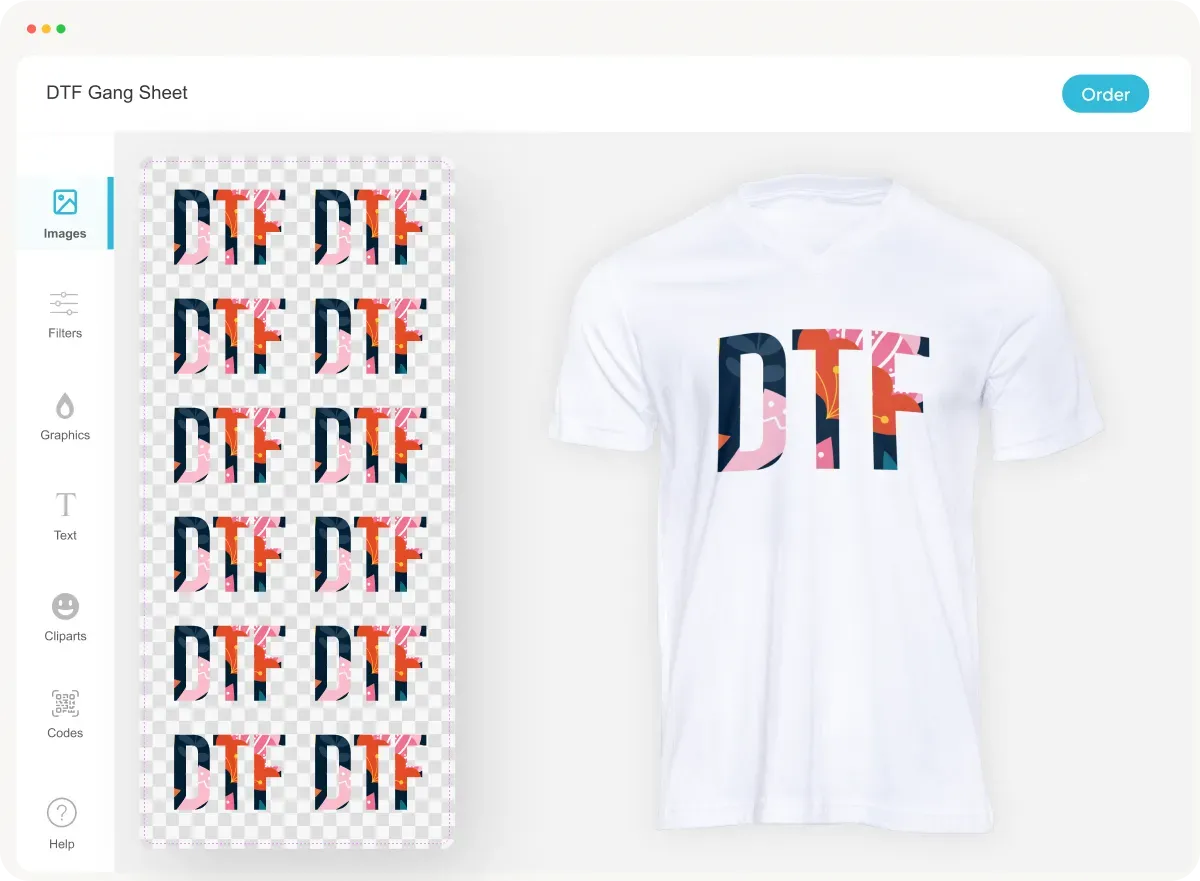
DTF printing throughput with Gangsheet Builder is redefining how shops scale their production while maintaining quality, by combining intelligent layout, error reduction, and real-time planning across every batch. Gangsheet Builder helps you maximize print runs by intelligently arranging many designs on gang sheets, reducing waste and nonproductive downtime, and helping operators stay ahead of tight deadlines. When woven into your workflow, it supports DTF batch printing optimization by aligning design layouts with substrate and ink limits. This approach accelerates throughput, lowers per-unit costs, reduces setup time, and makes handling large orders more predictable. In this article we’ll explore why throughput matters, how the tool works, and practical tips you can apply today.
Another way to frame this is production-speed optimization for Direct-to-Film printing, where careful layout planning, color management, and batch coordination drive better results. The idea is to organize multiple designs on a single print run, optimize ink usage, and minimize downtime between batches. With a focus on workflow efficiency, batch planning, and consistent color outcomes, shops can scale up without compromising quality.
DTF printing throughput with Gangsheet Builder: A Practical Guide
Throughput in DTF printing is more than just speed; it’s the cadence of your production line. Measuring pieces per hour, or square feet per hour, helps you forecast capacity, meet tight deadlines, and optimize per-unit costs. The Gangsheet Builder plays a pivotal role by letting you arrange multiple designs on a single gang sheet, reducing idle time between jobs and maximizing the usable area of every print. When you combine smart layout with reliable RIP workflows, you transform raw artwork into predictable output with fewer bottlenecks and less rework.
A practical approach starts with clean prepress prep and consistent color management. By planning gang sheets upfront, you cut setup changes, minimize calibration checks, and ensure consistent color builds across a batch. This is where DTF printing throughput gains are realized: fewer interruptions means more minutes of productive printing per shift and a steadier production cadence that supports higher overall output.
Understanding the Gangsheet Builder Workflow for Maximum Efficiency
The Gangsheet Builder workflow centers on front-loading planning work so print runs are as smooth as possible. It analyzes designs, arranges them on a single sheet, and accounts for bleed, margins, and substrate compatibility. This reduces the number of batch changes and ensures the platen space is utilized efficiently. In practice, you’ll see faster prepress validation, fewer human errors, and a more predictable run-time for each gang sheet.
Integrating the workflow into daily operations means aligning design files, color profiles, and RIP settings. When the team standardizes file formats and uses consistent ICC profiles, you minimize color shifts across the batch and shorten approval cycles. The result is a streamlined path from artwork receipt to finished product, contributing to DTF production optimization and elevating bulk DTF printing efficiency.
DTF Batch Printing Optimization: Planning for Consistent Run Quality
DTF batch printing optimization hinges on planning and repeatable templates. By grouping similar designs, standardizing color builds, and locking in set print parameters, you reduce variability across a run. Gangsheet layouts that maximize sheet density without sacrificing resolution help you increase units per sheet, driving higher throughput and lower per-unit costs.
A repeatable batch approach also means automated prepress checks and proofs. Early detection of overlapping designs, color bleed, or unsafe margins prevents waste and reprints. This alignment between design planning and production execution is a core pillar of DTF batch printing optimization, ensuring that each batch delivers consistent quality and predictable results.
Bulk DTF Printing Efficiency: Handling Large Orders with Confidence
Bulk DTF printing efficiency focuses on scale without sacrificing accuracy. When you optimize gang sheet density and maintain consistent color management across large orders, you reduce handling time and minimize downtime between runs. The Gangsheet Builder helps you fit more units on each sheet, which translates into fewer sheets, less substrate waste, and faster fulfillment of bulk orders.
To sustain efficiency at scale, implement intake automation, queued jobs, and standardized finishing workflows. Coordinating cutting, sorting, and packaging around large gang runs reduces downstream bottlenecks and keeps the entire line moving. This alignment across prepress, print, and post-press stages is a practical way to achieve bulk DTF printing efficiency in real-world production.
DTF Production Optimization: Aligning Prepress, RIPs, and Drying for Throughput
DTF production optimization is about synchronizing every step of the workflow to maximize throughput while preserving quality. Consistent RIP settings, reliable ICC profiles, and calibrated curing times prevent drift in color and finish across designs. When these elements stay aligned within the Gangsheet Builder workflow, you’re less likely to encounter reprints and more likely to hit your targeted output.
Regular maintenance, predictive checks, and data-driven adjustments are essential for sustained optimization. Tracking run-time, setup time, scrap rate, and color variance helps identify bottlenecks and informs template refinements. With a holistic approach to DTF production optimization, you’ll see steady improvements in throughput, reduced per-unit costs, and a more scalable operation.
Measuring Impact and Continuous Improvement in Throughput
To truly improve throughput, establish measurable targets and monitor them over time. Track units per hour, waste, setup time, and color consistency across gang runs. The data will reveal which aspects of the Gangsheet Builder workflow contribute most to efficiency and where small tweaks yield the biggest gains in DTF printing throughput.
Adopt a culture of continuous improvement by updating gang sheet templates, refining tiling strategies, and adjusting color management settings based on real run results. Regular reviews of KPIs tied to DTF batch printing optimization, bulk DTF printing efficiency, and overall production optimization ensure your operation stays responsive to new designs, materials, and demand patterns.
Frequently Asked Questions
How can I improve DTF printing throughput with Gangsheet Builder in my shop?
Gangsheet Builder helps maximize print runs by arranging multiple designs on gang sheets, which reduces setup changes, minimizes waste, and keeps the print bed busy. This approach can increase units per hour and lower per-unit costs, delivering measurable improvements in DTF printing throughput with Gangsheet Builder.
What is the Gangsheet Builder workflow and how does it impact DTF batch printing optimization?
The Gangsheet Builder workflow automates tiling, bleed management, and color consistency across designs on a single gang sheet. By planning layouts ahead of print and grouping similar jobs, it reduces batching cycles and speeds up DTF batch printing optimization.
Can Gangsheet Builder boost bulk DTF printing efficiency without sacrificing quality?
Yes. By maximizing sheet density, standardizing color management, and minimizing setup, Gangsheet Builder improves bulk DTF printing efficiency while maintaining consistent quality and reliable output.
What practical steps in DTF production optimization using Gangsheet Builder lead to higher throughput?
Start with clean design files, plan gang sheets strategically, fine-tune print settings for consistency, automate prepress validation, optimize intake and job sequencing, and track performance to drive continuous DTF production optimization.
Which metrics should I track to measure DTF printing throughput with Gangsheet Builder effectively?
Key metrics include units per hour, sheets per hour, gang sheet density (units per sheet), scrap and reprint rates, setup/changeover time, and overall yield. Monitoring these helps assess DTF printing throughput with Gangsheet Builder and guide improvements.
Is there a real-world example of throughput gains from using Gangsheet Builder for DTF batch printing optimization?
Yes. In a mid-size shop, throughput rose from about 40 to 50 units/hour (≈25% lift), scrap and reprints dropped 15%, and setup time was reduced by about 30% after adopting Gangsheet Builder for DTF batch printing optimization.
| Aspect | Key Points |
|---|---|
| Throughput basics | Throughput is the rate of finished prints; factors include prepress prep, number of colors, number of designs per gang sheet, and how efficiently you use each print run. The goal is a steady, predictable production cadence that maintains quality. |
| Gangsheet Builder | A software-assisted approach to gang sheets that arranges multiple designs on one print sheet, reducing batching cycles, minimizing plate changes, and maximizing sheet usage to boost throughput. |
| Key features driving throughput | Auto-layout and tiling; Bleed and margins management; Color and ink optimization; Queue and job management. |
| How it improves throughput | Fewer setup cycles; Better machine utilization; Consistent color workflows; Reduced waste and improved yield; Streamlined post-press handling. |
| Best practices | 1) Clean design files; 2) Plan gang sheets; 3) Fine-tune print settings; 4) Automate prepress validation; 5) Optimize intake and sequencing; 6) Measure for continuous improvement. |
| Case study outcomes | Throughput lift examples: 25% increase (from 40 to ~50 units/hour); 15% reduction in scrap/reprints; 30% shorter setup times. |
| Quality balance | Higher throughput should not compromise quality. Maintain robust checks for color fidelity, precise margins, proper curing, and monitor wear. Gangsheet Builder supports quality controls. |
Summary
DTF printing throughput with Gangsheet Builder is achievable through systematic workflow optimization and gang-sheet planning. By leveraging Gangsheet Builder to optimize gang sheets, aligning prepress and print workflows, and adopting a data-driven approach to measure performance, you can boost throughput, reduce per-unit costs, and increase capacity to meet demand. With best practices and continuous improvement, you can sustain higher throughput while maintaining quality, ultimately delivering faster turnaround and greater production efficiency for DTF operations.