


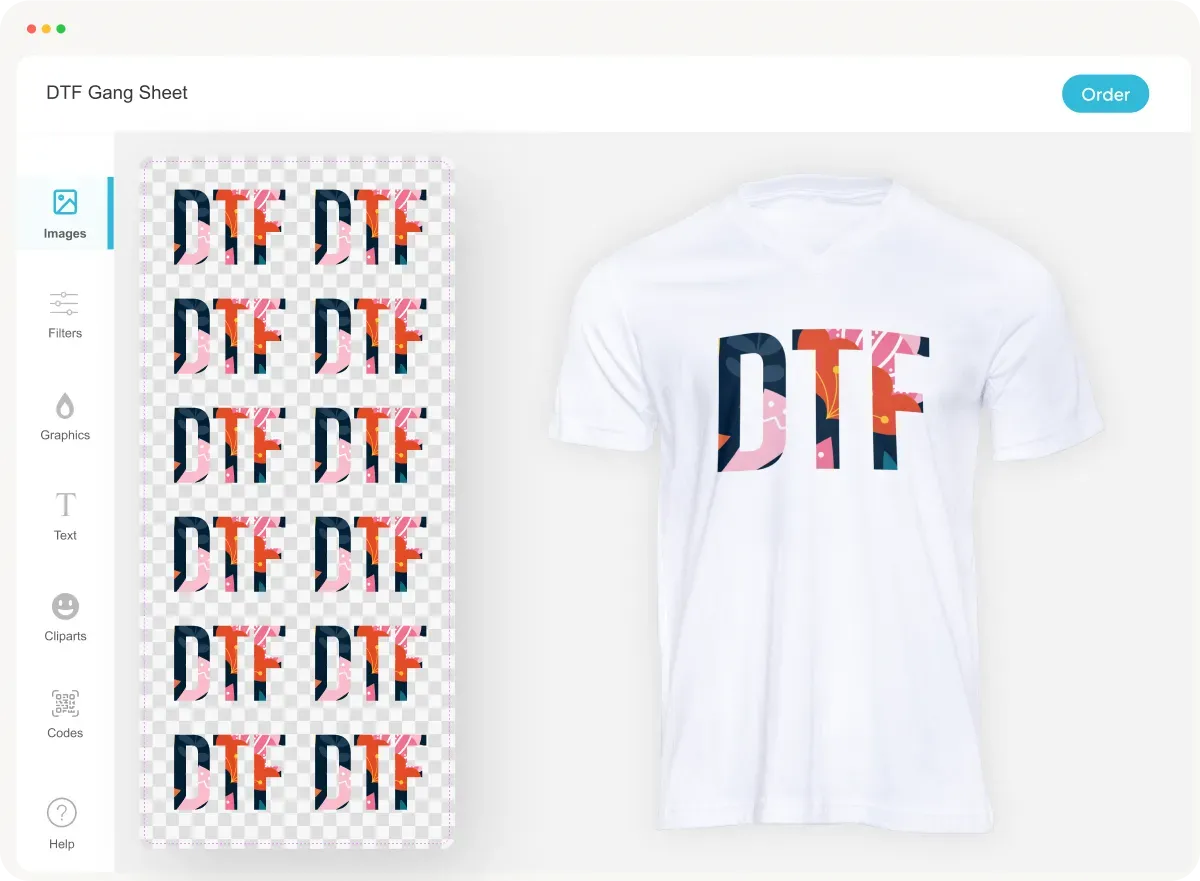
In the vibrant world of garment decoration, the DTF Gangsheet Builder is revolutionizing how designers create stunning visuals for fabric printing. This innovative tool simplifies the DTF printing process, allowing users to produce intricate and high-quality designs that can be effortlessly transferred onto various materials. With features tailored specifically for color management and design template customization, the DTF Gangsheet Builder enhances overall print quality and operational efficiency. Whether you’re a seasoned professional or just embarking on your creative journey, mastering this cutting-edge software is essential for achieving breathtaking results. Join us as we delve into the intricacies of utilizing the DTF Gangsheet Builder to unlock your artistic potential in the realm of textile printing.
The DTF Gangsheet Builder, often referred to as a comprehensive design tool for Direct-to-Film printing, has become an essential resource for artists and printers alike. This advanced software facilitates the creation of detailed graphics that are ready for application to clothing and other textiles, emphasizing the importance of proper color management and design layout. With its user-friendly interface and compatibility with various design templates, this tool streamlines the garment decoration process and guarantees top-notch print quality. As the demand for high-quality printed apparel continues to grow, understanding how to harness the features of the DTF Gangsheet Builder becomes increasingly vital. Let’s explore the features and techniques that can elevate your designs and improve your production efficiency.
Getting Started with DTF Printing
Direct-to-Film (DTF) printing has rapidly gained traction in the garment decoration industry because of its flexibility and high-quality output. To begin your journey in DTF printing, familiarize yourself with the core concepts behind the technology. DTF involves printing designs onto a special release film, which is then transferred onto fabric using heat and pressure. This process offers the ability to print intricate designs with vibrant colors, making it a favorite among designers and businesses alike.
To successfully dive into DTF printing, understanding its various stages—from design creation through to the final transfer—is essential. It starts with selecting high-resolution graphics, which determine the print quality of the end product. Once printed on the film, the color management system plays a crucial role in ensuring accurate color replication on various fabrics. Through proper training and practice, newcomers can learn the nuances of DTF printing and produce standout designs.
Mastering the DTF Gangsheet Builder
The DTF Gangsheet Builder is a pivotal tool in streamlining the process of creating multiple designs for DTF printing. Learning to navigate this software efficiently can lead to significant time savings and better overall print quality. Start by exploring its interface—familiarizing yourself with features such as layer functions, design tools, and grid settings will provide a solid foundation for your design abilities. The more comfortable you become with the interface, the more creative and complex your designs can be.
Additionally, understanding how to manipulate gang sheets effectively can enhance your printing efficiency. The Gangsheet Builder allows for organizing designs in ways that minimize waste, maximizing the number of prints you can generate per sheet. By incorporating principles of design density and strategic placement, you can make full use of the available printing space, thus producing high-quality outputs with minimal resource expenditure.
Color Management in DTF Printing
Color management is an essential element in DTF printing that directly impacts the vibrancy and quality of your final products. Using correct color profiles is imperative; the most common is the CMYK setting, which is specifically suited for print processes. This enables you to ensure that the colors you design on-screen are accurately represented when printed. Incorrect color management can lead to discrepancies that diminish the visual appeal of your garments.
For best results, always conduct color calibration and periodic tests before moving to the full production. By regularly checking how your printed samples compare against your digital designs, you can adjust settings to fine-tune color accuracy. Utilizing color swatches and understanding the ink characteristics will aid in achieving consistency across different fabric types, further enhancing the professional quality of your printed garments.
Design Templates for Efficiency
Utilizing design templates is an excellent way to streamline your workflow in DTF printing. Templates not only help in saving time but can also ensure that your designs are correctly proportioned and optimized for print. Many software applications allow users to create or access a library of pre-designed templates tailored for different garment types and sizes, thus reducing initial design efforts.
When using templates, customization is key. Adapting a template to reflect your specific branding while maintaining its structural integrity helps minimize errors and enhances the overall design process. Testing out several templates before deciding on one that best suits your vision can lead to outstanding results that resonate with your target audience.
The Importance of Iteration and Testing
Iterative testing is paramount in achieving excellence in DTF printing. This process involves creating test prints of your designs to evaluate various elements such as color accuracy, design legibility, and overall quality before moving into full production. Regular testing helps you catch potential issues early on, allowing you to make the necessary adjustments without significant wastage of time or materials.
Furthermore, feedback loops are crucial in the iterative testing phase. Engaging with peers or clients to gather their impressions on color choices or design clarity can provide valuable insights that enhance your design capabilities. Each iteration not only brings a refined product closer but also contributes to your development as a skilled designer, enabling continuous improvements in your print projects.
Exploring Community and Learning Resources
Engaging with communities centered around DTF printing enriches your learning experience and provides a platform to share knowledge and resources. Social media groups and dedicated forums are treasure troves of information where novice and seasoned printers alike exchange tips, troubleshoot issues, or showcase their work. Being part of such a community can significantly fast track your learning and provide inspiration for your projects.
In addition to community resources, leveraging learning materials such as video tutorials and informative blogs can deepen your understanding of the DTF Gangsheet Builder and printing techniques. These resources offer step-by-step guides and insights into the latest trends in DTF printing, helping you stay updated with emerging techniques and best practices. By supplementing your hands-on experience with these educational tools, you’ll cultivate a well-rounded skill set in garment decoration.
Frequently Asked Questions
What is the DTF Gangsheet Builder and how does it enhance DTF printing?
The DTF Gangsheet Builder is a specialized tool designed for creating complex designs that can be efficiently printed using Direct-to-Film (DTF) technology. By allowing users to organize their artwork into ‘gangs’ or groupings on a single film, it not only maximizes print quality but also optimizes material usage, reducing waste during the garment decoration process.
How do I manage colors effectively using the DTF Gangsheet Builder?
Effective color management in the DTF Gangsheet Builder involves using the right color profiles, particularly CMYK settings, to ensure accurate color representation in your designs. It is crucial to test color saturation and adjust it as needed before proceeding to print, as improper management can lead to dull colors in the final product.
Are there design templates available for use with the DTF Gangsheet Builder?
Yes, the DTF Gangsheet Builder often comes with a variety of design templates that help streamline the design process. By selecting templates that match your project size and style, you can save time and maintain consistency in your designs, allowing for a more efficient garment decoration workflow.
What are the best practices for improving print quality with DTF Gangsheet Builder?
To improve print quality using the DTF Gangsheet Builder, always start with high-resolution images (minimum 300 DPI) and ensure proper color management. Additionally, maintain clear and legible text within your designs, and conduct test prints to refine layouts and color accuracy before final production.
How can I maximize efficiency when using the DTF Gangsheet Builder for garment decoration?
Maximize efficiency in the DTF Gangsheet Builder by optimizing space on gang sheets, grouping similar designs together, and utilizing copy-paste features for consistent design placements. Regular test printing and iterative adjustments based on print results also contribute to the overall efficiency of the printing process.
Where can I find additional resources to learn about the DTF Gangsheet Builder?
To enhance your skills with the DTF Gangsheet Builder, seek out tutorials on platforms like YouTube, as well as blogs and articles focused on DTF printing techniques. Joining online communities and forums dedicated to DTF printing can also provide valuable insights and tips from experienced users.
| Section | Key Points |
|---|---|
| Introduction | DTF printing is a game changer; the DTF Gangsheet Builder enhances print quality and efficiency. |
| Understanding the Basics | Familiarize with the interface, navigation, basic operations like zooming and layer management. |
| Design Creation Tips | Use high-resolution images (300 DPI), manage colors accurately, and ensure text legibility. |
| Utilizing Templates | Choose appropriate templates and customize them to match branding while maintaining layout. |
| Efficiency Techniques | Optimize space on gang sheets and use copy-paste functions for uniform designs. |
| Testing and Iteration | Conduct test prints to refine designs based on feedback for continuous improvement. |
| Community and Resources | Engage in social media groups and forums for support and shared knowledge. |
| Learning Resources | Seek out video tutorials and articles for in-depth knowledge and updates. |
| Recent Developments | Stay updated on advancements in technology affecting DTF printing and the Gangsheet Builder. |
Summary
DTF Gangsheet Builder is an essential tool for anyone striving to excel in garment decoration. By mastering its functionalities, from the basics of design creation to advanced techniques, users can greatly enhance the quality and efficiency of their printing projects. The guide provides a comprehensive understanding of design creation tips, effective use of templates, and ways to maximize efficiency. Importantly, engaging with communities and accessing continuous learning resources will further refine users’ skills. Given the rapid advancements in DTF printing technology, staying informed will ensure that your designs remain competitive and visually captivating. Embrace the potential of the DTF Gangsheet Builder and watch as your creative visions come to life.